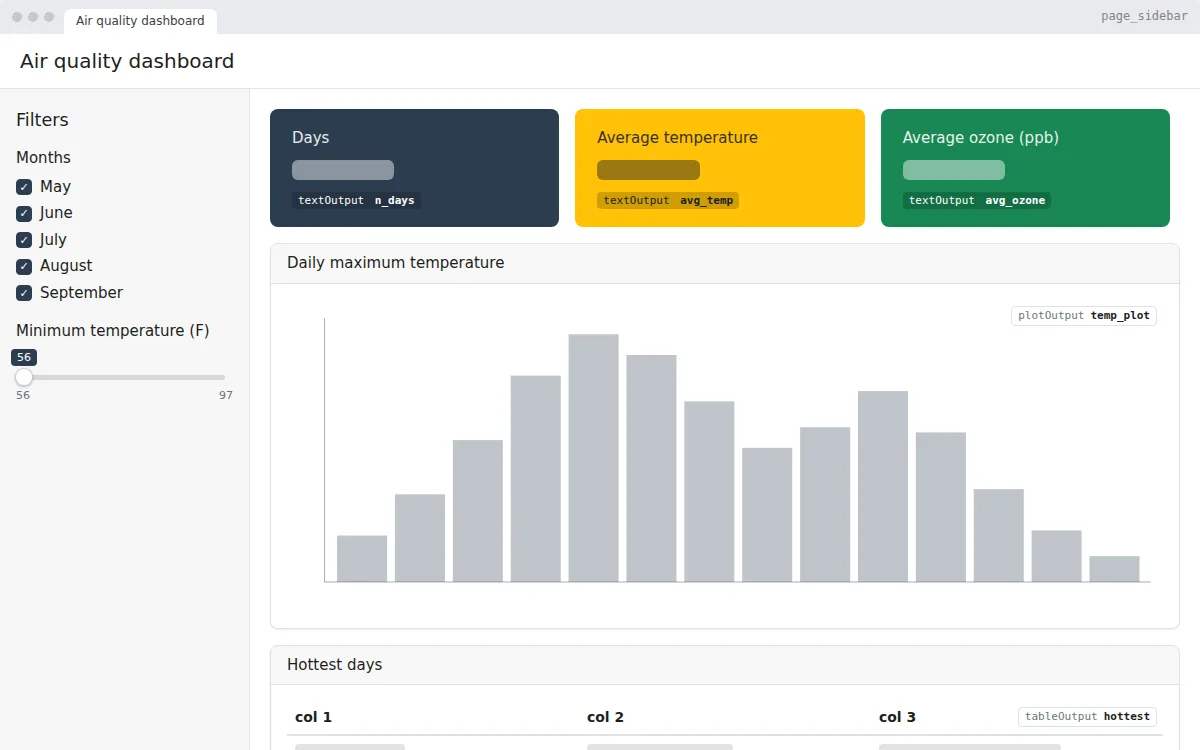
KPI dashboard
A Shiny dashboard with KPI value boxes, sidebar filters, a chart and a top-5 table, built with bslib on R’s airquality data. Free app.R to copy, edit and run.
A feedback form in R Shiny: text, choice and rating inputs, a conditional field, validation, a live table of responses and a CSV download. Free app.R.
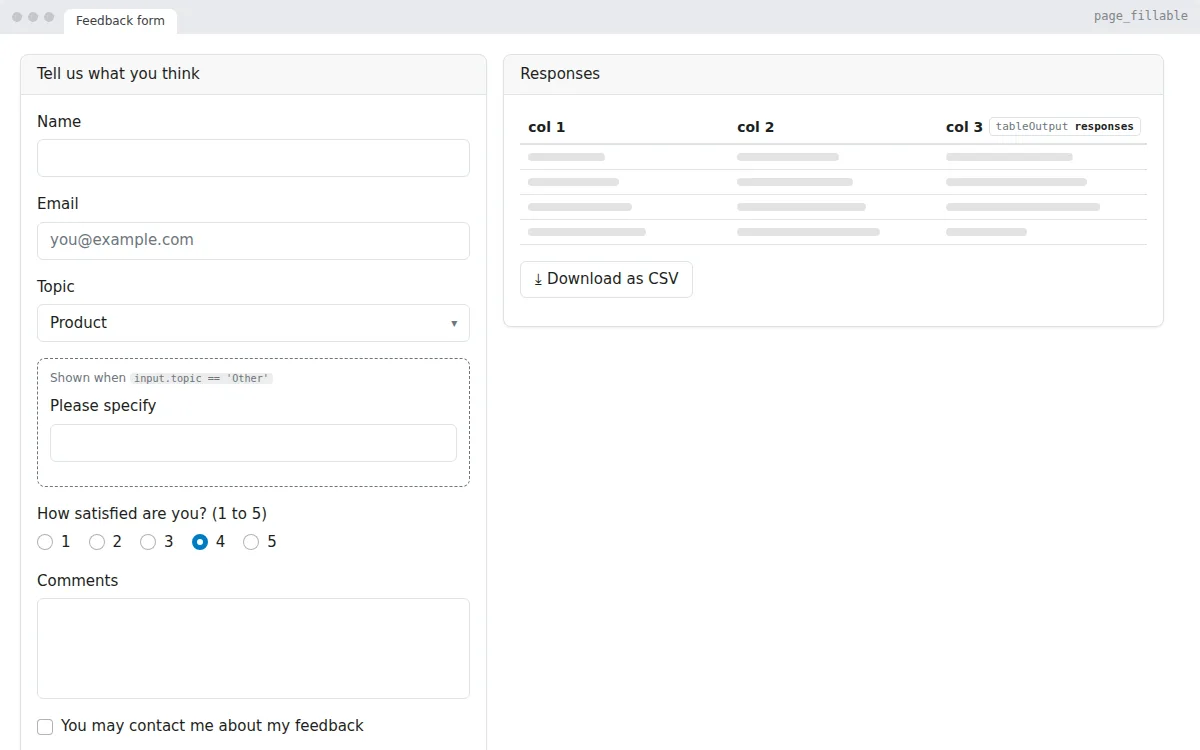
A form that collects feedback and shows the responses next to it. It covers what most form apps need: text fields, a drop-down, a rating, a comment box, a consent checkbox and a submit button.
Choosing “Other” as the topic reveals an extra field with a conditional panel. Submitting checks the name, adds a row to a table, clears the form and shows a notification. Responses can be downloaded as a CSV file. They are kept in memory, so connect a database or a Google Sheet when you need them to persist.
page_fillable()conditionalPanel() that shows a field only when it is neededobserveEvent() on the submit button, with simple validation and showNotification()reactiveVal() and shown in a tabledownloadButton() with downloadHandler() for a CSV export# Generated by DropToApp
library(shiny)
library(bslib)
ui <- page_fillable(
title = "Feedback form",
layout_columns(
col_widths = c(5, 7),
card(
card_header("Tell us what you think"),
textInput("name", "Name"),
textInput("email", "Email", placeholder = "[email protected]"),
selectInput(
"topic",
"Topic",
choices = c("Product", "Support", "Billing", "Other")
),
conditionalPanel(
"input.topic == 'Other'",
textInput("topic_other", "Please specify")
),
radioButtons(
"rating",
"How satisfied are you? (1 to 5)",
choices = c("1", "2", "3", "4", "5"),
selected = "4",
inline = TRUE
),
textAreaInput("comments", "Comments", rows = 4),
checkboxInput("contact", "You may contact me about my feedback"),
actionButton("submit", "Send feedback", class = "btn-primary")
),
card(
card_header("Responses"),
tableOutput("responses"),
downloadButton("download", "Download as CSV")
)
)
)
server <- function(input, output, session) {
# Inputs: input$name, input$email, input$topic, input$topic_other, input$rating, input$comments, input$contact
# Responses are kept in memory while the app runs
responses <- reactiveVal(data.frame(
time = character(), name = character(), email = character(), topic = character(),
rating = integer(), comments = character(), contact = logical()
))
observeEvent(input$submit, {
if (!nzchar(trimws(input$name))) {
showNotification("Please enter your name.", type = "warning")
} else {
topic <- if (input$topic == "Other") input$topic_other else input$topic
row <- data.frame(
time = format(Sys.time(), "%Y-%m-%d %H:%M"), name = input$name, email = input$email,
topic = topic, rating = as.integer(input$rating), comments = input$comments,
contact = input$contact
)
responses(rbind(responses(), row))
updateTextInput(session, "name", value = "")
updateTextInput(session, "email", value = "")
updateTextAreaInput(session, "comments", value = "")
showNotification("Thank you for your feedback!", type = "message")
}
})
output$responses <- renderTable({
responses()
})
output$download <- downloadHandler(
filename = "responses.csv",
content = function(file) {
write.csv(responses(), file, row.names = FALSE)
}
)
}
shinyApp(ui, server)
app.R, install the packages once with install.packages(c("shiny", "bslib")), then run shiny::runApp() in the folder with the file.app.R.
A Shiny dashboard with KPI value boxes, sidebar filters, a chart and a top-5 table, built with bslib on R’s airquality data. Free app.R to copy, edit and run.
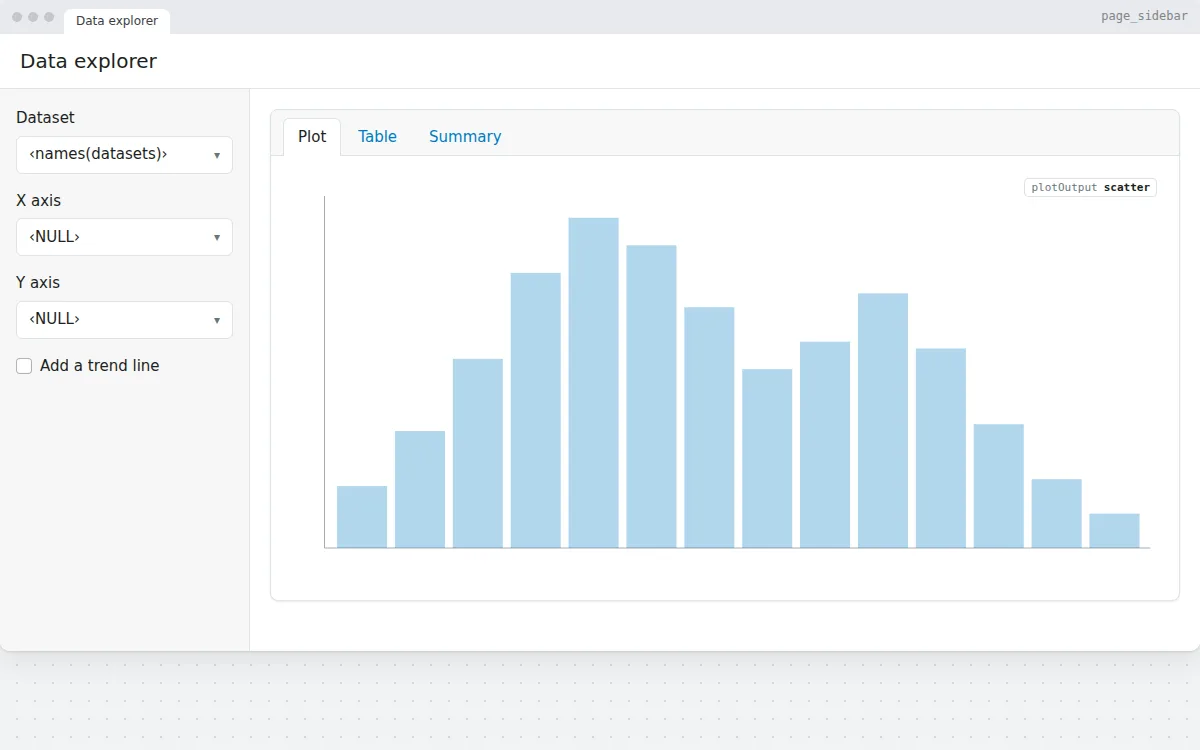
Pick a dataset and two columns to get a scatter plot, a searchable DT table and a summary, with axis choices that update per dataset. Free R Shiny template.
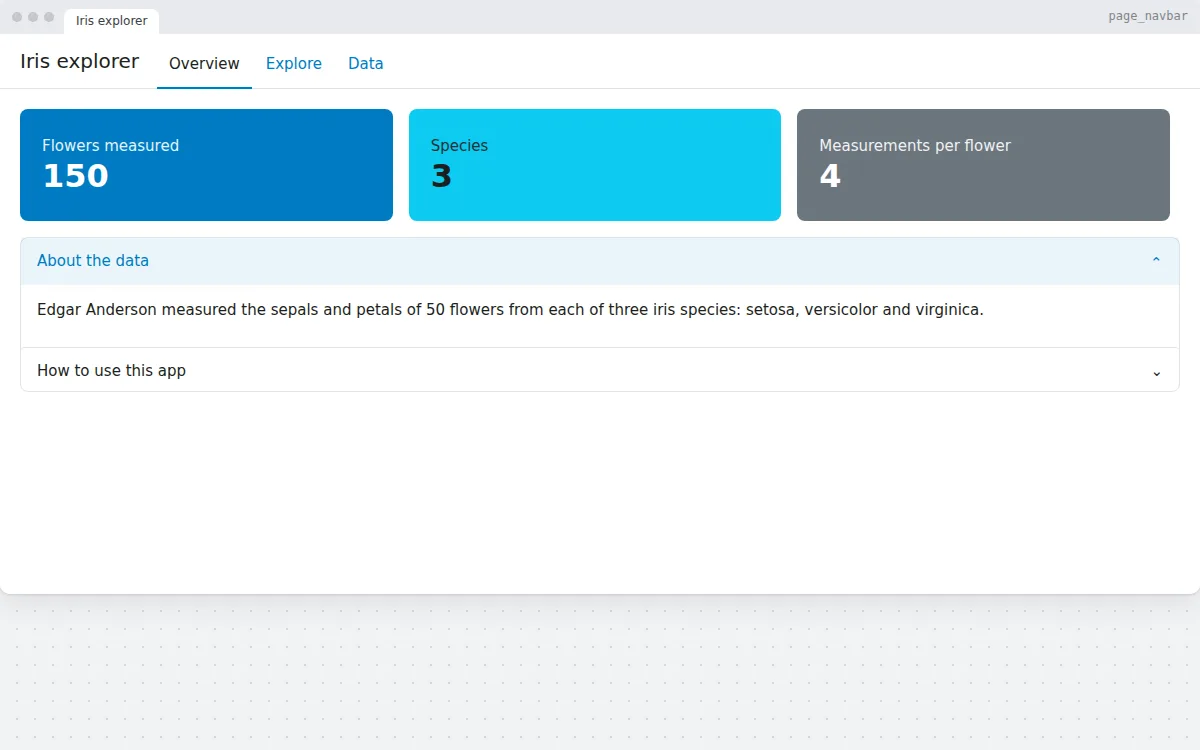
A Shiny app with several pages in a navigation bar: an overview with value boxes and an accordion, an interactive plotly chart and a DT data table.
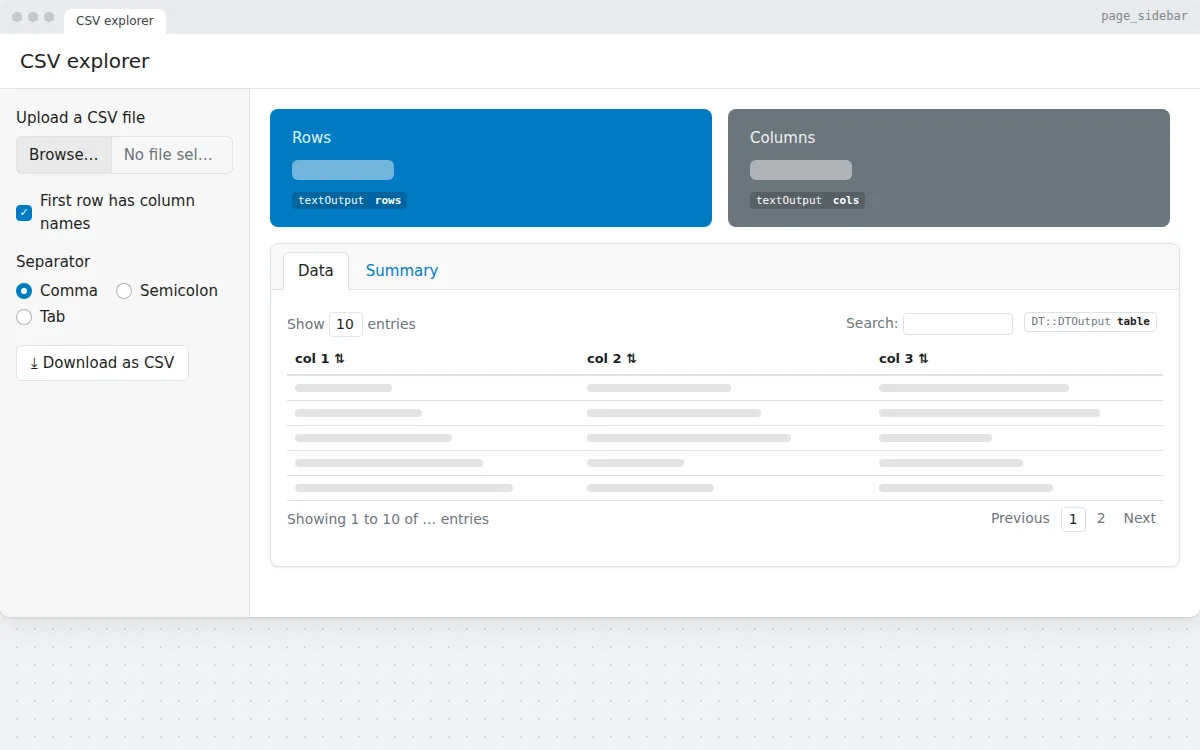
Upload a CSV file, choose the separator, and see its rows, columns, a searchable table and a summary. Download the data again as CSV. Free Shiny app template.
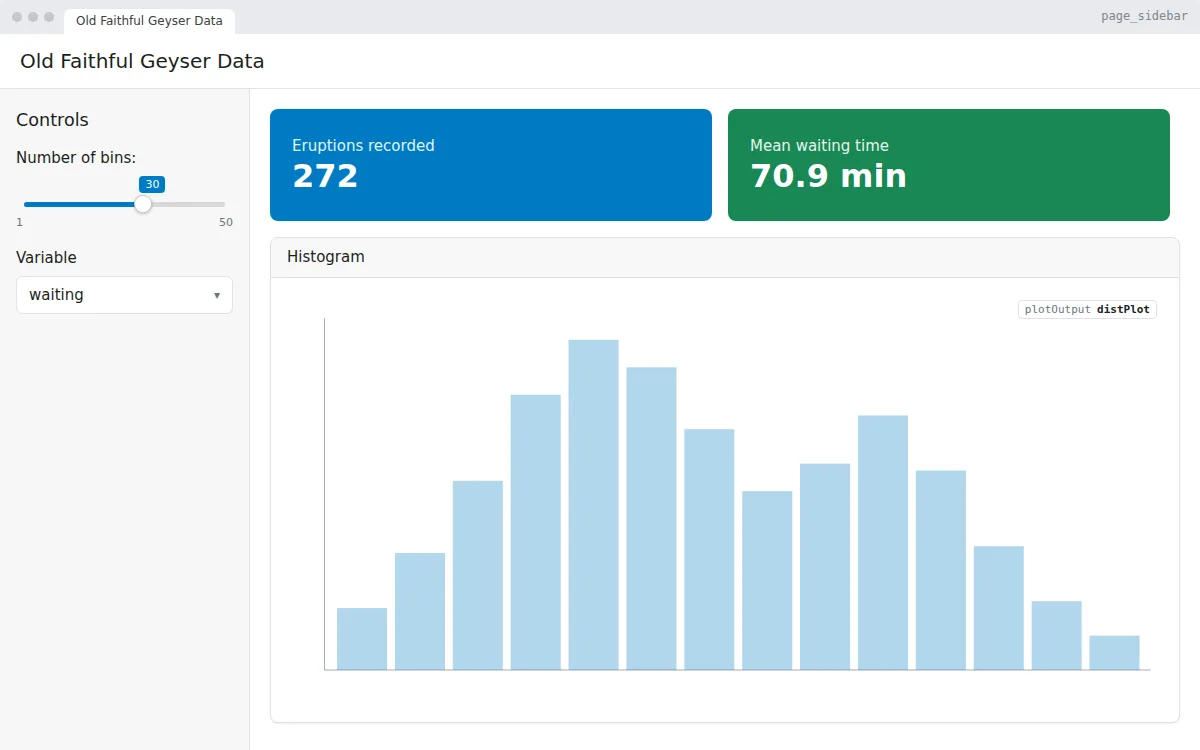
The classic first Shiny app, rebuilt with bslib: a slider and a variable picker drive a histogram of the Old Faithful geyser data. Free app.R to copy and run.